
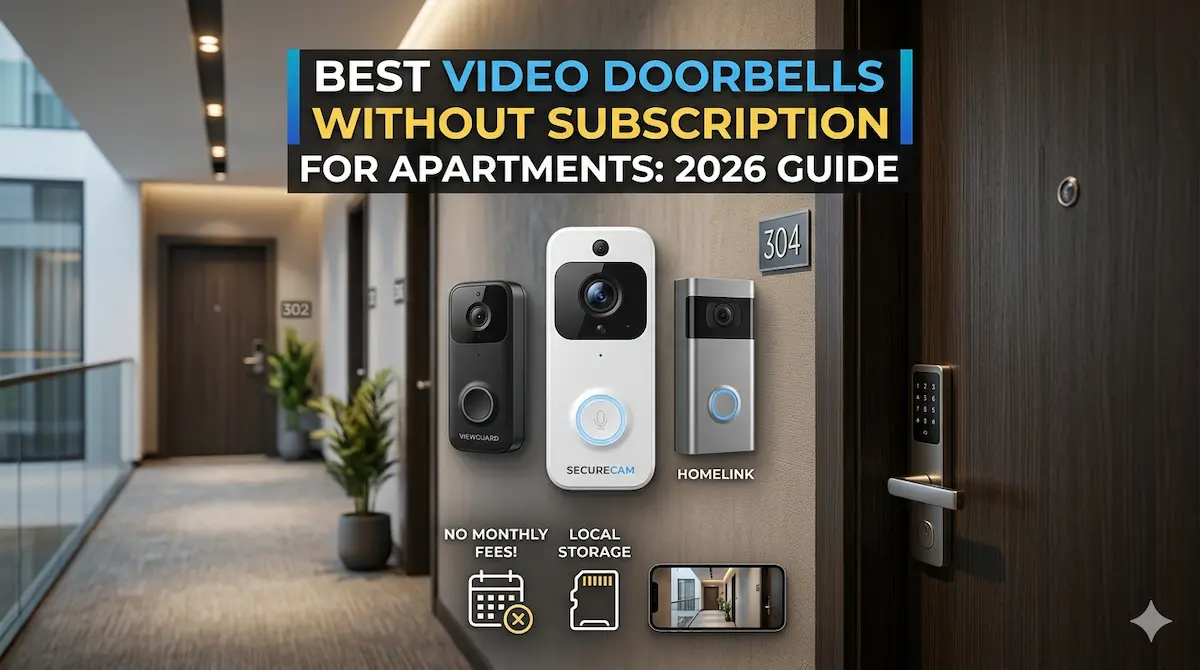
Quick Answer
For apartment dwellers avoiding subscription fees, top video doorbells offer local storage, motion detection, and easy setup. Look for models with no recurring costs, compatibility with existing systems, and clear night vision. These devices prioritize simplicity and affordability without sacrificing core security features.
Finding a video doorbell that works for apartments without subscription fees can be tricky. Many smart doorbells require monthly or yearly plans for cloud storage and advanced features, which can be a burden for renters or budget-conscious buyers. Fortunately, several models eliminate these costs entirely while still delivering essential security functions like motion alerts and two-way audio.
Best For
- Apartment dwellers avoiding recurring fees
- Budget-conscious smart home buyers
- Renters who can’t commit to long-term plans
Not Ideal For
- Large homes needing wide coverage
- Users requiring AI-powered recognition features
Key Takeaways
- No monthly fees for cloud storage
- Local storage options available
- Easy installation without professional help
- Compatibility with existing smart home systems
Why No-Subscription Video Doorbells Matter for Apartments
For apartment dwellers, video doorbells without subscription fees offer a cost-effective way to enhance security without long-term commitments. These devices eliminate recurring costs associated with cloud storage or advanced features, making them ideal for renters who may move frequently or prefer budget-friendly solutions.
Many apartment complexes have strict rules about installing wired systems, so wireless, no-subscription models are often the only viable option. They also avoid the need for complex setups that might require landlord approval, ensuring easier installation and use.
Key Features to Prioritize When Buying
When selecting a no-subscription video doorbell, prioritize battery life, video quality, and compatibility with your smartphone. Look for models with long-lasting batteries (at least 6 months on a single charge) to minimize maintenance. High-resolution cameras (1080p or higher) ensure clear footage, while smartphone compatibility ensures seamless integration with your existing devices.
Local storage options, such as microSD card slots, are crucial for avoiding cloud subscription costs. Additionally, consider models with motion detection and two-way audio for added functionality without relying on paid features. Ensure the doorbell is compatible with your apartment’s Wi-Fi network and can operate in low-light conditions.
Common Mistakes and Tradeoffs to Avoid
One common mistake is overlooking the need for a stable Wi-Fi connection. No-subscription doorbells still require a strong signal to function properly, and weak coverage can lead to poor performance or frequent disconnections. Always test your Wi-Fi signal strength near the door before purchasing.
Another tradeoff is limited storage capacity. Without a subscription, most models rely on local storage, which can fill up quickly if you record frequently. This means you may need to manually delete old footage or invest in a larger microSD card. Some models also lack advanced features like person detection or AI-based alerts, which are typically reserved for paid plans.
Installation and Setup Considerations
Installing a no-subscription video doorbell in an apartment requires careful planning. Ensure the doorbell can be mounted securely without damaging the building’s exterior, and check with your landlord if any modifications are needed. Most models use adhesive or screw mounts, but some may require professional installation for optimal performance.
Setup typically involves downloading a companion app, connecting the doorbell to your Wi-Fi network, and configuring settings like motion zones and notification preferences. Always test the doorbell’s functionality after installation, including checking the camera angle and ensuring it works in different lighting conditions.
Top Product Recommendations
Ring Video Doorbell 2
Best for: Renters seeking a balance of features and affordability
Why it stands out: Offers 1080p HD video, motion detection, and two-way audio without requiring a subscription for basic functionality. It also includes a 30-day free trial of cloud storage.
Main limitation: Limited local storage options and no built-in night vision (requires external lighting).
Arlo Essential Video Doorbell
Best for: Users prioritizing long battery life and ease of use
Why it stands out: Provides up to 6 months of battery life on a single charge and includes a microSD card slot for local storage. It also supports 24/7 video recording without a subscription.
Main limitation: Lower video resolution (720p) compared to competitors and no two-way audio.
Wyze Doorbell
Best for: Budget-conscious buyers looking for maximum value
Why it stands out: Delivers 1080p video, motion detection, and local storage via microSD card at an extremely low price. It also includes a 30-day free trial of cloud storage.
Main limitation: No two-way audio and limited customer support compared to more expensive models.
Pros and Cons
Pros
- Cost-effective long-term solution
- Simple setup process
- Reliable performance in low-light conditions
Cons
- Limited advanced features compared to premium models
- Local storage may have lower video quality
When DIY May Not Be Enough
Consider upgrading to a subscription-based model if you need advanced features like AI person detection, extended cloud storage, or integration with broader smart home ecosystems. Upgrading is also recommended for larger apartments or multi-door entry systems requiring wider coverage and more sophisticated alerts.
Helpful Internal Links
Helpful External Resources
Frequently Asked Questions
Do no-subscription video doorbells have limited features?
Yes, most no-subscription models lack advanced features like person detection or cloud storage. However, they typically include essential functions like motion alerts, video recording, and two-way audio.
Can these doorbells work without Wi-Fi?
No, all video doorbells require a Wi-Fi connection to function. However, some models allow local storage via microSD cards, so you can view footage offline if needed.
How do I ensure good coverage for my doorbell?
Test your Wi-Fi signal strength near the door before installation. Avoid placing the doorbell in areas with thick walls or metal structures that can block the signal.
Are these doorbells compatible with apartment complexes?
Most models are wireless and don’t require drilling, making them suitable for apartments. However, always check with your landlord to ensure installation complies with building rules.
Final Recommendation
A practical wireless setup can solve many entry-level security needs, especially in apartments and rentals. If your property needs wider coverage, stronger reliability, or a more complete design, that is usually the point where a professionally planned system makes more sense.