
Quick Answer
Renters can enhance security without permanent changes by using smart locks that clip onto existing deadbolts. These devices are ideal for temporary stays, avoid drilling, and often feature keyless entry and remote access. Compatibility with standard deadbolts and ease of removal are critical factors to consider.
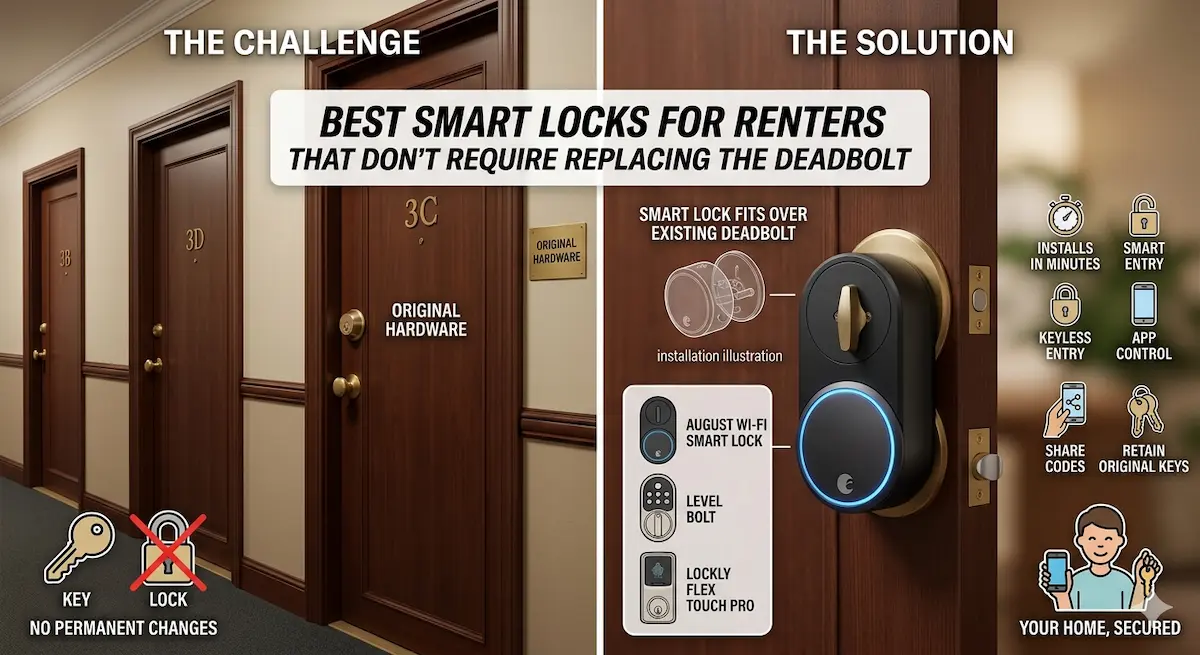
Renters often face challenges when trying to upgrade home security, as most smart locks require replacing the existing deadbolt. Fortunately, solutions exist that work with your current hardware, making them perfect for temporary or leased spaces. These no-drill smart locks offer convenience and security without altering your door’s structure, ensuring you can move out without damage.
Best For
- Renters in apartments or temporary housing
- Those avoiding permanent home modifications
- Budget-conscious security upgrades
Not Ideal For
- Homeowners seeking high-end security features
- Users with outdated or non-standard deadbolts
Key Takeaways
- No drilling required for installation
- Ensure compatibility with your existing deadbolt
- Look for models with easy removal features
- Cost-effective for short-term stays
Why Renters Should Consider Smart Locks Without Deadbolt Replacement
For renters, upgrading to a smart lock without replacing the existing deadbolt offers a cost-effective way to enhance security. These locks typically use the current deadbolt mechanism, avoiding the need for drilling or modifying the door. This is especially beneficial for temporary stays or when landlords prohibit permanent alterations.
Smart locks that work with existing deadbolts often feature keyless entry options like keypad codes or smartphone integration. They allow renters to grant access to guests or service providers without sharing physical keys. This flexibility is ideal for managing access in shared living spaces or during periods of absence.
Key Priorities When Choosing a Smart Lock for Renters
Compatibility with your current deadbolt is the top priority. Look for locks that use standard deadbolt sizes (e.g., 2.75-inch or 3.5-inch) and support common key types like Kwikset or Schlage. Some models may require a specific deadbolt type, so verify specifications before purchasing.
Installation ease and power source are also critical. Battery-operated locks are preferable for renters, as they avoid wiring complications. Opt for models with long battery life (e.g., 6–12 months) and low-battery alerts to prevent unexpected lockouts. Additionally, ensure the lock supports your preferred authentication method, such as Bluetooth, Wi-Fi, or NFC.
Common Limitations and Trade-Offs to Be Aware Of
Smart locks that don’t replace deadbolts may have fewer advanced security features compared to full-replacement models. For example, some may lack tamper alarms or reinforced strike plates, which could make them more vulnerable to forced entry. Always check the lock’s security rating (e.g., ANSI Grade 1 or 2).
Another trade-off is limited customization. Many no-deadbolt locks rely on the existing deadbolt’s mechanical components, which might restrict options for adding features like auto-locking or remote access. Additionally, some models may not integrate seamlessly with third-party smart home systems, limiting automation potential.
Setting Up Your Smart Lock: Tips for Success
Before installation, test the lock with your existing deadbolt to ensure compatibility. Most no-deadbolt models use a clamp or screw-on design that fits over the current deadbolt. Follow the manufacturer’s instructions carefully, as improper installation can compromise security.
After installation, configure the lock’s settings via its companion app. Set up unique access codes for guests, enable notifications for lock activity, and test the lock with your smartphone or key fob. If your lock uses batteries, keep spare ones on hand and note the manufacturer’s recommended replacement schedule.
Top Product Recommendations
August Smart Lock Pro
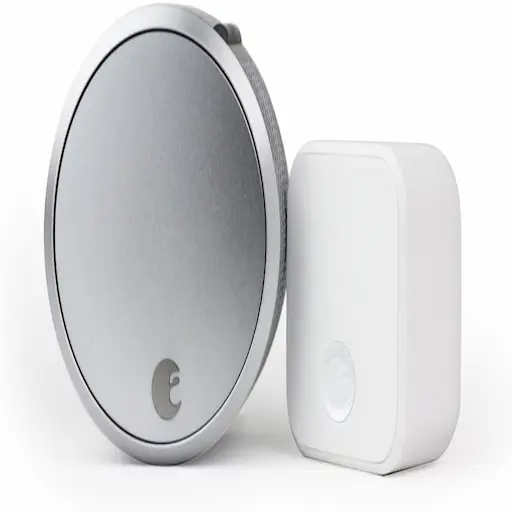
Best for: Renters needing seamless integration with Apple HomeKit and Android devices
Why it stands out: Works with existing deadbolts, offers keyless entry via app or keypad, and includes auto-locking and remote access features.
Main limitation: Requires a compatible deadbolt (e.g., Kwikset or Schlage) and has a higher price point compared to basic models.
Yale Assure Lock
Best for: Budget-conscious renters seeking a reliable, no-drill solution
Why it stands out: Installs in minutes without drilling, supports Bluetooth and Wi-Fi connectivity, and includes a 12-month battery life.
Main limitation: Lacks advanced security features like tamper alarms and has limited third-party app integration.
Kwikset SmartCode 914
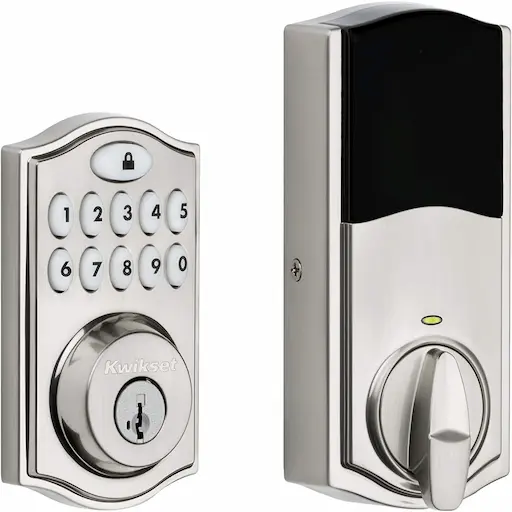
Best for: Renters prioritizing ease of use and compatibility with standard deadbolts
Why it stands out: Uses a standard deadbolt, allows keyless entry with a touchscreen keypad, and includes a 1-year battery life.
Main limitation: Does not support smartphone integration and has a less intuitive app compared to competitors.
Pros and Cons
Pros
- Preserves door integrity during installation
- Quick to set up and remove
- Affordable compared to full lock replacements
Cons
- Limited advanced security features compared to hardwired models
- May require regular battery checks
When DIY May Not Be Enough
Consider upgrading to a deadbolt-requiring smart lock only if you’re moving into a permanent residence or need features like biometric authentication, heavy-duty construction, or integration with home automation systems. For renters, prioritize models that clip on securely and can be removed without leaving marks.
Helpful Internal Links
Helpful External Resources
Frequently Asked Questions
Do these locks work with all door types?
Most no-deadbolt smart locks are designed for standard interior or exterior doors with existing deadbolts. Check the manufacturer’s specifications for door thickness and deadbolt size compatibility.
Can I install a smart lock myself?
Yes, most models are designed for DIY installation. However, ensure you have the correct tools and follow the instructions carefully to avoid damaging your existing deadbolt.
How secure are no-deadbolt smart locks?
Security varies by model. Look for locks with ANSI Grade 2 ratings, tamper-resistant features, and encryption for wireless communication to ensure robust protection.
What if the battery dies?
All models include a backup key for emergency access. Some locks also have low-battery alerts to prompt timely replacement before the battery fully depletes.
Final Recommendation
Smart home products can improve convenience and basic protection, but they are not always enough for layered security. If your needs grow beyond simple automation, a more deliberate security design may be the better next step.