
Quick Answer
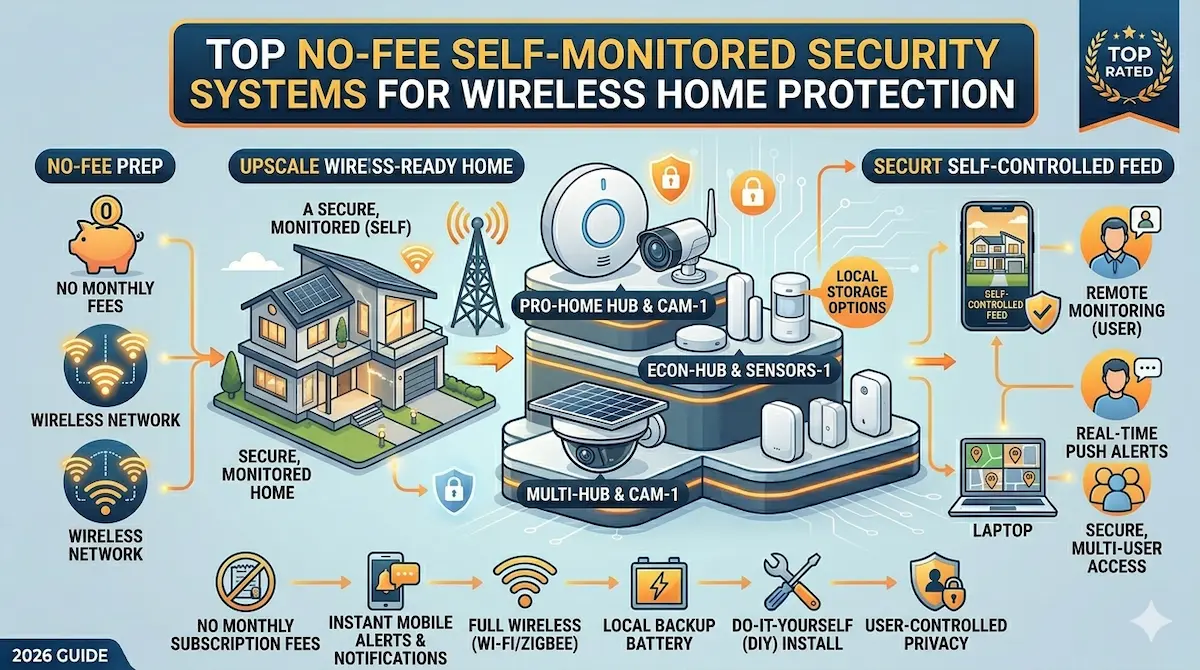
Self-monitored security systems with no monthly fees offer cost-effective home protection through DIY installation and mobile alerts. These systems typically include motion sensors, door/window contacts, and smartphone integration. They are ideal for renters, budget-conscious buyers, and those who prefer managing alerts themselves rather than paying for professional monitoring.
Monthly fees can add up quickly for home security systems, but self-monitored options eliminate this cost entirely. These systems rely on your smartphone or computer to receive alerts and manage security, making them a popular choice for those seeking flexibility and affordability. Whether you're a renter or looking to cut long-term expenses, self-monitored systems with no monthly fees provide a practical solution for wireless home protection.
Best For
- Homeowners on a budget
- Renters needing temporary security
- Users who prefer DIY setup over professional monitoring
Not Ideal For
- Those requiring 24/7 professional monitoring
- Users seeking advanced AI-powered features
Key Takeaways
- No recurring monthly fees required
- Easy DIY installation with minimal setup
- Mobile alerts via smartphone apps
- Limited customer support compared to paid systems
Understanding Self-Monitored Security Systems with No Monthly Fees
Self-monitored security systems offer a cost-effective alternative to traditional monitored systems by eliminating the need for monthly service fees. These systems rely on user oversight, often through smartphone apps, to alert homeowners of potential threats. While they lack professional monitoring, they provide flexibility in setup and customization.
Key components typically include motion sensors, door/window contacts, and cameras that connect to a home network. Users receive real-time notifications and can view live feeds, but must manually respond to alerts. This model is ideal for budget-conscious consumers who prefer hands-on control over their security infrastructure.
What to Prioritize When Buying a Self-Monitored System
When selecting a self-monitored system, prioritize reliability, ease of use, and storage options. Look for systems with high-resolution cameras, long battery life, and robust connectivity (Wi-Fi or cellular backup). Cloud storage plans may incur costs, so consider models that offer local storage via microSD cards or external devices.
Compatibility with existing smart home ecosystems (e.g., Alexa, Google Home) is also crucial. Ensure the system includes features like two-way audio, night vision, and tamper alerts. User-friendly apps with intuitive interfaces can significantly reduce the learning curve for new users.
Common Mistakes and Tradeoffs to Avoid
Many users overlook the importance of coverage area when installing self-monitored systems. Cameras with narrow fields of view may leave blind spots, while motion sensors placed too close to high-traffic areas can trigger false alarms. Always map out your home’s layout to optimize device placement.
Another tradeoff involves reliance on internet connectivity. Systems without cellular backup may fail during outages, leaving homes vulnerable. Additionally, while DIY installation saves money, it requires technical know-how. Poorly configured systems may lack integration with other security devices, reducing overall effectiveness.
How to Choose the Right System for Your Home
Assess your home’s size, layout, and security needs before purchasing. Larger homes may require multiple cameras and sensors, while smaller spaces can use compact, all-in-one devices. Consider environmental factors like outdoor lighting, weather conditions, and potential entry points.
Read reviews and compare features across brands. Look for systems with strong customer support and clear troubleshooting guides. While budget-friendly options exist, prioritize systems with proven durability and minimal maintenance requirements to ensure long-term reliability.
Top Product Recommendations
Ring Spotlight Cam
Best for: Homeowners seeking high-quality outdoor surveillance
Why it stands out: Offers 1080p HD video, motion-activated lighting, and two-way audio. Its solar-powered variant provides extended battery life and weather resistance.
Main limitation: Higher upfront cost compared to basic models; requires a Ring account for full features.
Arlo Essential Floodlight Camera
Best for: Users needing all-in-one outdoor security with floodlighting
Why it stands out: Combines a 1080p camera, motion-activated floodlight, and 180-degree pan tilt. Uses Arlo’s proprietary wireless technology for reliable connectivity.
Main limitation: Battery life is shorter than some competitors; requires regular firmware updates for optimal performance.
Wyze Cam v3
Best for: Budget-conscious buyers looking for essential features
Why it stands out: Provides 1080p video, night vision, and local storage via microSD card. Priced significantly lower than many competitors while maintaining solid performance.
Main limitation: Lacks advanced features like person detection; app interface is less polished compared to premium brands.
Pros and Cons
Pros
- Cost-effective long-term solution
- No contract commitments
- Quick to install without professional help
Cons
- Limited advanced features like AI detection
- No professional monitoring available
When DIY May Not Be Enough
Consider upgrading to a paid system if you need 24/7 professional monitoring, advanced features like AI motion detection, or integration with smart home ecosystems such as Alexa or Google Home. Upgrading may also be necessary if you require features like automatic police/fire dispatch or premium customer support.
Helpful Internal Links
Helpful External Resources
Frequently Asked Questions
Do self-monitored systems work without an internet connection?
Most self-monitored systems require Wi-Fi for real-time alerts and remote access. However, some models offer cellular backup or local storage options to function during outages, though full functionality may be limited.
Can I install these systems myself?
Yes, all recommended systems are designed for DIY installation. They typically include detailed guides and require minimal tools. However, proper placement is critical to ensure optimal coverage and performance.
What happens if my camera’s battery dies?
Battery life varies by model, but most systems provide alerts when power is low. For critical areas, consider models with solar charging or hardwired options to avoid unexpected downtime.
Are false alarms common with self-monitored systems?
False alarms can occur, especially with motion sensors. Many systems allow customization of sensitivity settings and include pet immunity features. Regular maintenance and proper placement can minimize unnecessary alerts.
Final Recommendation
A practical wireless setup can solve many entry-level security needs, especially in apartments and rentals. If your property needs wider coverage, stronger reliability, or a more complete design, that is usually the point where a professionally planned system makes more sense.