
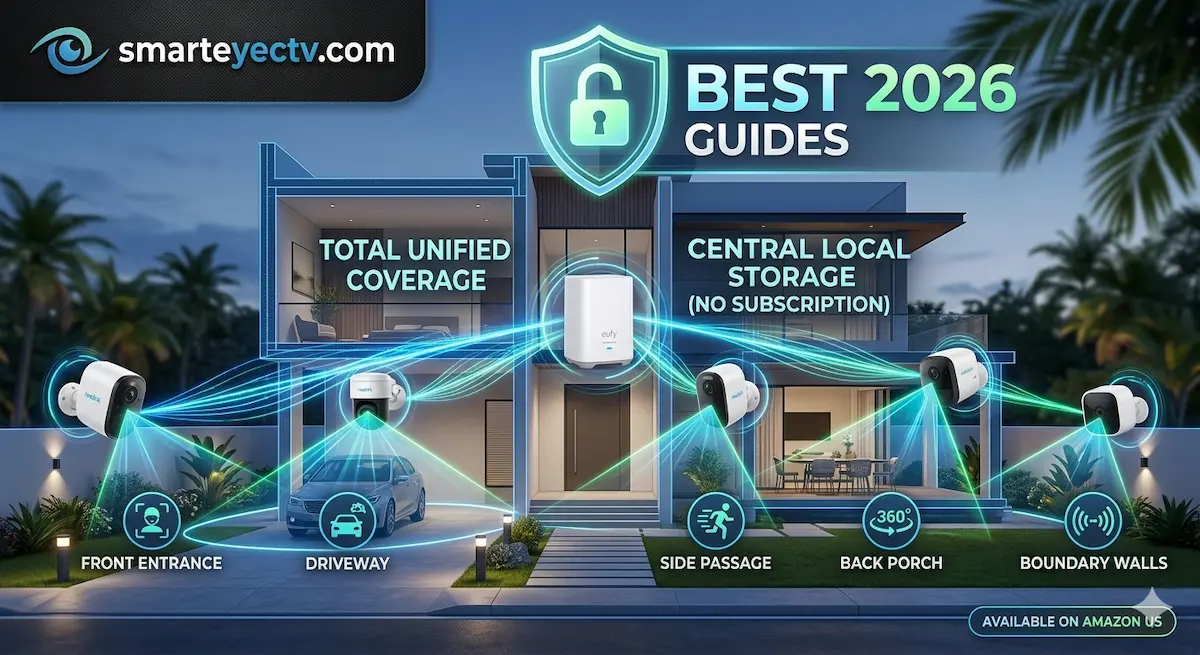
If you have a large property, a single doorbell camera isn’t enough. To truly secure your home, you need “Blanket Coverage”—monitoring the front porch, the backyard, the driveway, and both side alleys simultaneously.
Buying a Multi-Camera Kit is not only more cost-effective than buying individual units, but it also ensures that all your cameras sync to a single hub for easier management. In this guide, we’ve selected the top wireless bundles on Amazon that offer professional-grade 360° protection without the professional installation price tag.
Top Multi-Camera Bundles Compared
| Kit Capacity | Resolution | Storage | Battery Life | Check Price |
| EufyCam S330 (4-Cam Kit) | 4K UHD | 16GB Expandable | Solar Powered | [View on Amazon] |
| Arlo Pro 5S (3-Cam Kit) | 2K HDR | Cloud / Local Hub | 6-8 Months | [View on Amazon] |
| Reolink Argus 3 Pro (4-Cam Kit) | 2K QHD | MicroSD per Cam | Solar Optional | [View on Amazon] |
1. The “Ultimate Power” Kit: EufyCam S330 4-Device Bundle
This is the “Ferrari” of wireless kits. Since each camera has a built-in solar panel, you don’t have to take down four different cameras to charge them every few months.
- ✅ The Advantage: The included HomeBase 3 centralizes all footage. You can add a 2.5-inch hard drive (up to 16TB) to store months of 4K video with zero monthly fees.
- ✅ AI Sync: The system coordinates between cameras; if a stranger is spotted by the driveway camera, the backyard camera can “pre-arm” itself.
- [Check Price on Amazon]
2. The Best Low-Light Kit: Arlo Pro 5S 2K (3-Pack)
Arlo is famous for its color night vision. If your neighborhood is dark, these cameras use advanced sensors to show you vivid colors instead of grainy black-and-white footage at 2 AM.
- ✅ The Advantage: Works with dual-band Wi-Fi (2.4GHz and 5GHz) for a more stable connection in large houses.
- ❌ Note: To get the most out of the “Emergency Response” features, Arlo requires a monthly subscription.
- [View Deal on Amazon]
3. The Best Value Expansion: Reolink Argus 3 Pro 4-Pack
For those who want high-end specs without the $800 price tag. This kit is incredibly flexible and reliable.
- ✅ The Advantage: Each camera is independent. If your Wi-Fi router is in the middle of the house, you can place these cameras in a circle around the perimeter.
- ✅ Pro Tip: We recommend buying the [Reolink Solar Panel 2-Pack] as an add-on to keep the batteries topped off forever.
- [Check Price on Amazon]
🛠 DIY Pro Tip: The “Overlap” Strategy
When installing a 3 or 4-camera kit, the biggest mistake is pointing them away from each other.
- Expert Advice: Use the Rule of Overlap. Each camera should be able to see the “blind spot” of the next camera. For example, your driveway camera should see the person before they reach the front door camera.
- The Logic: This creates a “chain of evidence.” If a thief wears a mask at your door, you might have caught their unmasked face earlier as they walked up the driveway.
Why Trust SmartEye’s Infrastructure View?
At AIS.gy, we specialize in multi-node industrial networks. We’ve vetted these kits not just for their camera quality, but for their Hub Stability. In a multi-camera setup, the ability of the HomeBase or Hub to handle four simultaneous high-def streams without crashing is what separates a “toy” from a “security system.”