
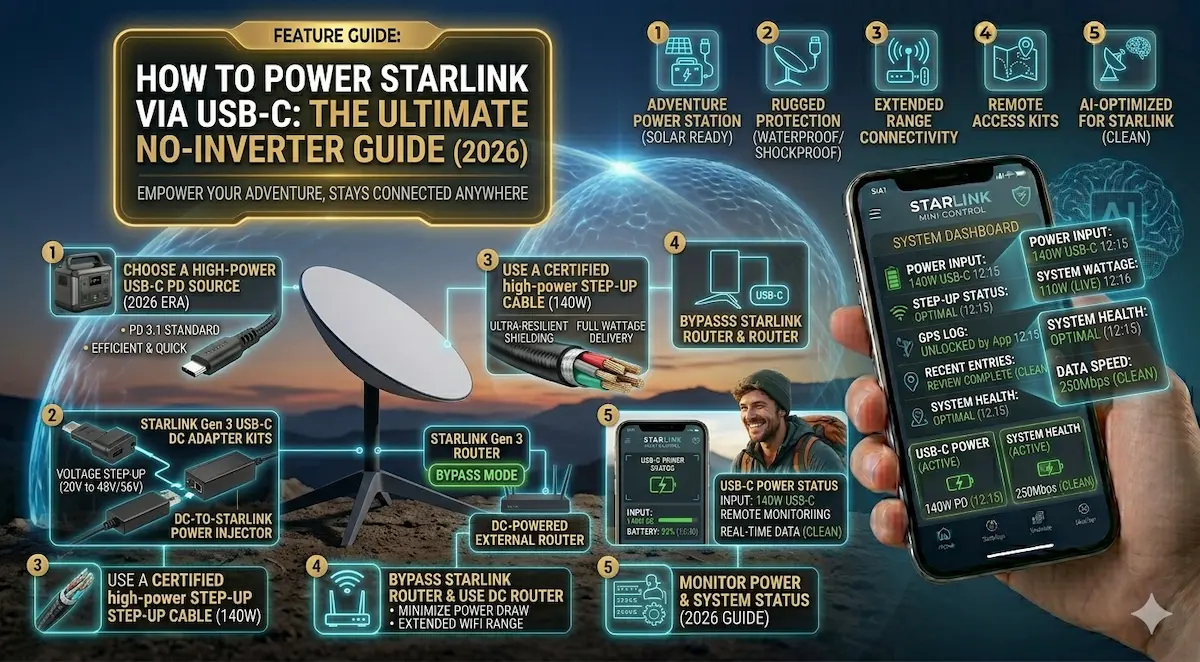
Running your Starlink Mini or Gen 3 from a massive AC inverter is like using a sledgehammer to crack a nut. It’s noisy, it’s hot, and it wastes up to 30% of your battery life just in heat conversion (DC to AC back to DC).
In 2026, the pros have moved to USB-C PD (Power Delivery). Imagine powering your high-speed satellite internet from the same battery pack you use for your phone. Here is how to do it and exactly what gear you need from Amazon.
Quick Comparison: USB-C Power Gear
| Component | Purpose | Requirement | Check Price |
| PD Trigger Cable | Connects Dish to Battery | 65W or 100W PD Chip | View on Amazon |
| High-Watt Power Bank | Portable Energy Source | 20V/5A (100W Output) | View on Amazon |
| USB-C Car Charger | Power from Your Vehicle | 100W Triple Port | View on Amazon |
1. The Magic Link: USB-C to DC Barrel Cable (100W)
The Starlink Mini and Gen 3 can be powered by DC, but they need a specific voltage. This cable has a “trigger” chip inside that tells your power bank: “Hey, give me exactly 20V.”
- ✅ Pros: Eliminates the bulky power brick. It’s waterproof and 10 feet long for easy placement.
- ❌ Cons: If you buy a cheap cable without the E-Mark/PD chip, your Starlink simply won’t turn on.
- [Check Price on Amazon]
2. The Power Source: Anker Prime 27,650mAh (250W)
To run a Starlink system, you need a battery that doesn’t just have capacity, but output speed. The Anker Prime is the gold standard for 2026.
- Performance: It can output up to 140W from a single port, easily handling the “startup surge” when the dish is searching for satellites.
- ✅ Pros: Airline approved, smart app monitoring, and charges back to 100% in under an hour.
- [Check Price on Amazon]
3. For the Road: 100W USB-C Car Charger
If you have a work van (like a Toyota TownAce) or a truck, you can run Starlink directly from your cigarette lighter without an inverter.
- Why it works: These GaN (Gallium Nitride) chargers are tiny but powerful enough to run the dish and charge your laptop simultaneously.
- ✅ Pros: Silent operation. No fan noise like traditional inverters.
- [Check Price on Amazon]
🛠 Why Go “Pure DC” in Guyana and Beyond?
As integrators at AIS.gy, we recommend this setup for two main reasons:
- Efficiency: In remote areas (the interior, mining camps, or farms), every “amp-hour” of your battery is precious. Removing the inverter adds 1-2 extra hours of runtime to your battery.
- Heat: Inverters get hot. In our tropical climate, heat is the enemy of electronics. A USB-C setup stays cool.
Integrator’s Pro Tip: For Starlink Gen 3 (Standard), make sure your USB-C source is at least 100W. The Starlink Mini can survive on 65W, but more headroom is always better for a stable connection.