
Quick Answer
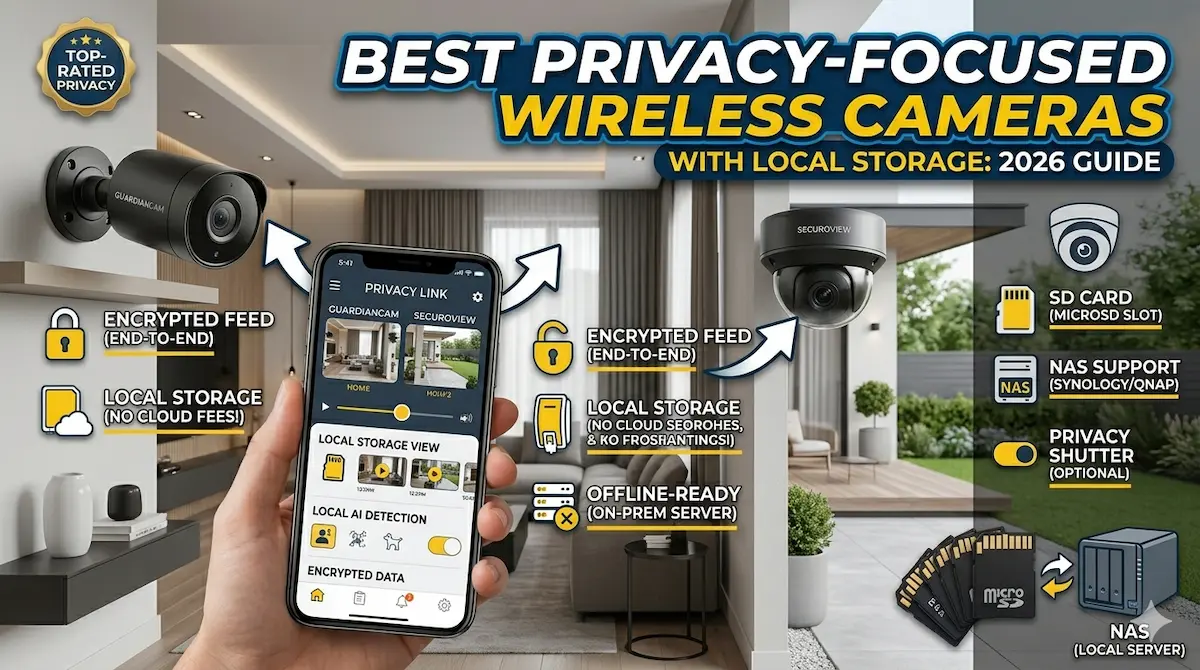
For users prioritizing data privacy, wireless cameras with local storage offer secure, cloud-free monitoring. These devices store footage on microSD cards or local networks, avoiding third-party access. Look for models with end-to-end encryption and no monthly subscription fees.
In an era of growing data privacy concerns, choosing a wireless camera that protects your information is critical. Privacy-focused wireless cameras with local storage eliminate reliance on cloud services, keeping your footage secure on physical devices. This guide highlights top options that balance security, performance, and ease of use.
Best For
- homeowners prioritizing data control
- privacy-conscious smart home users
- off-grid or remote locations
Not Ideal For
- users requiring cloud-based analytics
- budget-conscious buyers seeking low-cost options
Key Takeaways
- Local storage avoids third-party data access
- End-to-end encryption is essential for security
- No monthly fees for cloud storage
- MicroSD or NAS support ensures reliability
Why Privacy-Focused Cameras Matter
Privacy-focused wireless cameras prioritize data security and user control, making them ideal for homes concerned about surveillance risks. These devices often avoid cloud storage, reducing exposure to potential data breaches.
Local storage options, such as microSD cards or network-attached drives, ensure footage remains on your premises. This minimizes reliance on third-party servers and gives users full control over their data.
Key Features to Prioritize
When shopping for privacy-focused cameras, look for end-to-end encryption to protect video data during transmission and storage. Local storage capabilities, like built-in SD card slots or compatibility with home servers, are also critical.
Additional features like motion detection with customizable sensitivity, manual privacy modes, and physical shutter switches can further enhance security. Avoid models that require constant internet connectivity for basic functionality.
Common Mistakes and Tradeoffs
Many users overlook the importance of physical security for local storage devices. Leaving SD cards or network drives unsecured can expose footage to theft or tampering. Always store hardware in locked locations.
Opting for local storage often means sacrificing features like remote access or advanced AI analytics. Balance your need for privacy with practical requirements, such as real-time alerts or integration with smart home systems.
Setup and Configuration Tips
Begin by placing your camera in a location with a clear view of entry points and minimal obstructions. Ensure the device is within range of your local storage solution for reliable data transfer.
Configure privacy settings immediately after setup. Enable features like motion-activated recording and disable unnecessary functions. Regularly update firmware to address vulnerabilities and improve performance.
Top Product Recommendations
Arlo Ultra 2
Best for: High-security homes needing 4K resolution and local storage
Why it stands out: Offers 4K HDR video, local storage via microSD card, and end-to-end encryption. No cloud subscription required for basic use.
Main limitation: Higher price point compared to similar models; limited night vision performance.
Ring Stick Up Cam
Best for: Users seeking a balance between privacy and smart home integration
Why it stands out: Includes local storage options and advanced motion detection. Works with Alexa for voice control and alerts.
Main limitation: Requires a Ring account for full features; cloud storage is optional but recommended for remote access.
Wyze Cam v3
Best for: Budget-conscious buyers prioritizing local storage and simplicity
Why it stands out: Affordable with 1080p resolution, local storage via microSD, and no monthly fees. Easy to set up and use.
Main limitation: Lower resolution compared to premium models; limited night vision and advanced analytics.
Pros and Cons
Pros
- No internet dependency for core functionality
- Data remains under your control
- Reduced risk of hacking or data breaches
Cons
- Higher upfront costs compared to cloud-reliant models
- Limited remote access without additional setup
When DIY May Not Be Enough
Consider upgrading if you need advanced features like AI motion detection, longer storage capacity, or integration with smart home ecosystems beyond basic security needs. Ensure your local storage solution has sufficient capacity for your monitoring requirements.
Helpful Internal Links
Helpful External Resources
Frequently Asked Questions
Why is local storage important for privacy?
Local storage keeps video data on your premises, reducing the risk of hacking or unauthorized access by third-party cloud services. It also ensures you retain full control over your footage.
Can these cameras work without an internet connection?
Yes, most privacy-focused cameras with local storage function offline for basic recording and playback. However, features like remote viewing or cloud backup require internet access.
How do I ensure my camera's data isn't misused?
Enable encryption, use strong passwords, and avoid sharing access with others. Regularly check camera settings to disable unnecessary features like facial recognition or cloud syncing.
Final Recommendation
A practical wireless setup can solve many entry-level security needs, especially in apartments and rentals. If your property needs wider coverage, stronger reliability, or a more complete design, that is usually the point where a professionally planned system makes more sense.