
Quick Answer
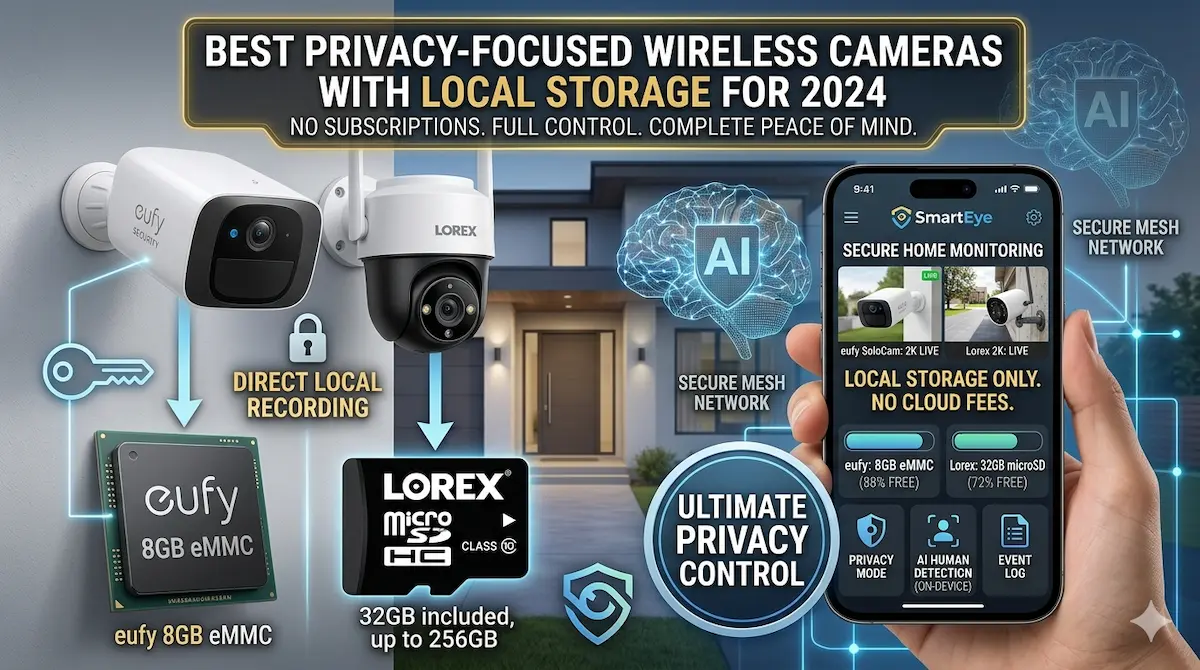
Privacy-focused wireless cameras with local storage prioritize data security by storing footage on physical devices rather than cloud servers. These cameras often include features like end-to-end encryption, local processing, and no monthly subscription fees. When choosing, prioritize models with tamper-proof storage, strong encryption, and minimal data transmission.
In an era of increasing digital surveillance, privacy-focused wireless cameras with local storage offer a compelling alternative for those concerned about data security. These devices store footage on local hardware, reducing reliance on cloud services and minimizing exposure to potential breaches. For users seeking secure, offline monitoring without compromising functionality, this guide highlights key considerations and top options.
Best For
- Homeowners prioritizing data privacy
- Users uncomfortable with cloud storage
- Off-grid or low-internet connectivity areas
Not Ideal For
- Those needing real-time cloud access
- Users requiring advanced AI features like facial recognition
Key Takeaways
- Local storage eliminates cloud data exposure
- End-to-end encryption is a must-have feature
- No monthly fees for storage or subscriptions
- Regular firmware updates ensure long-term security
What to Prioritize When Buying Privacy-Focused Cameras
When selecting a privacy-focused wireless camera, prioritize end-to-end encryption to ensure data cannot be intercepted during transmission. Look for models that store footage locally on microSD cards or external drives, minimizing reliance on cloud services that may expose data to third parties.
Physical privacy features are equally important. Cameras with built-in privacy covers or mechanical shutters allow you to block the lens when not in use. Additionally, verify that the camera does not collect or transmit metadata like geolocation or facial recognition data, which can compromise anonymity.
Common Mistakes and Tradeoffs to Avoid
One common mistake is assuming local storage is foolproof. While local storage reduces cloud exposure, it still requires secure physical access to the device. If the storage medium is stolen or hacked, data remains vulnerable. Always use strong passwords and encryption for local storage devices.
Another tradeoff involves camera resolution and storage capacity. High-resolution cameras consume more storage space, requiring larger SD cards or external drives. This can increase costs and complexity, especially for users with limited technical expertise or budget.
The Role of Local Storage in Privacy
Local storage is a cornerstone of privacy for wireless cameras. Unlike cloud-based systems, it keeps video data off external servers, reducing the risk of data breaches or unauthorized access by third-party providers. However, local storage requires careful management to prevent data loss or theft.
Opt for cameras that support encrypted microSD cards or external drives with hardware-based encryption. These features ensure that even if the storage device is physically accessed, the data remains protected. Regularly back up critical footage to a secondary location for added redundancy.
Setting Up Your Camera for Maximum Privacy
Begin by placing the camera in a location that balances coverage with privacy. Avoid pointing it at windows, doors, or areas where personal activities occur. Use the camera’s motion detection settings to limit continuous recording, reducing the volume of stored data.
Secure your home network with a strong Wi-Fi password and enable WPA3 encryption to prevent unauthorized access. Regularly update the camera’s firmware to address vulnerabilities. For added security, disable remote access features if they are not needed.
Top Product Recommendations
Arlo Essential 2
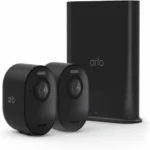
Best for: Small homes or apartments
Why it stands out: Offers end-to-end encryption and local storage via microSD card, with no cloud subscription required for basic functionality.
Main limitation: Lacks night vision and has limited motion detection accuracy compared to higher-end models.
Wyze Cam v3
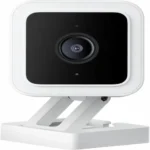
Best for: Budget-conscious users
Why it stands out: Stores footage locally on a microSD card (up to 128GB) and uses AI-based motion detection to reduce false alerts.
Main limitation: No built-in privacy cover and requires a separate hub for local storage access on mobile devices.
Ring Spotlight Cam
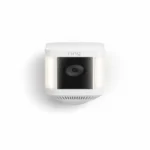
Best for: Outdoor surveillance
Why it stands out: Includes local storage options and advanced motion detection, with a spotlight for deterrence and visibility.
Main limitation: Requires a Ring Protect Plan for full local storage access and advanced features like person detection.
Pros and Cons
Pros
- Data remains on your premises, not in the cloud
- Strong encryption options for local files
- No recurring subscription costs
Cons
- Limited cloud integration for remote access
- Higher upfront cost for robust models
When DIY May Not Be Enough
Consider upgrading if you need cloud-based features like AI analytics or remote access from multiple devices. Also, if your storage needs exceed what local hardware can handle, look for models with expandable storage options or hybrid systems that use local storage as a primary backup.
Helpful Internal Links
Helpful External Resources
Frequently Asked Questions
Can I use my camera without an internet connection?
Yes, most privacy-focused cameras with local storage can record and store footage offline. However, features like remote viewing or cloud backup require an internet connection.
What happens if my local storage runs out of space?
Cameras typically overwrite older footage once storage is full. To avoid data loss, use larger microSD cards or connect an external drive for expanded capacity.
Are these cameras vulnerable to hacking?
While no system is completely immune, privacy-focused cameras with end-to-end encryption and local storage are significantly harder to hack. Ensure your network and camera firmware are always up to date.
How do I check for firmware updates?
Most cameras notify users via their mobile app when updates are available. Alternatively, visit the manufacturer’s website and enter your camera’s model number to download the latest firmware manually.
Final Recommendation
A practical wireless setup can solve many entry-level security needs, especially in apartments and rentals. If your property needs wider coverage, stronger reliability, or a more complete design, that is usually the point where a professionally planned system makes more sense.