
Quick Answer
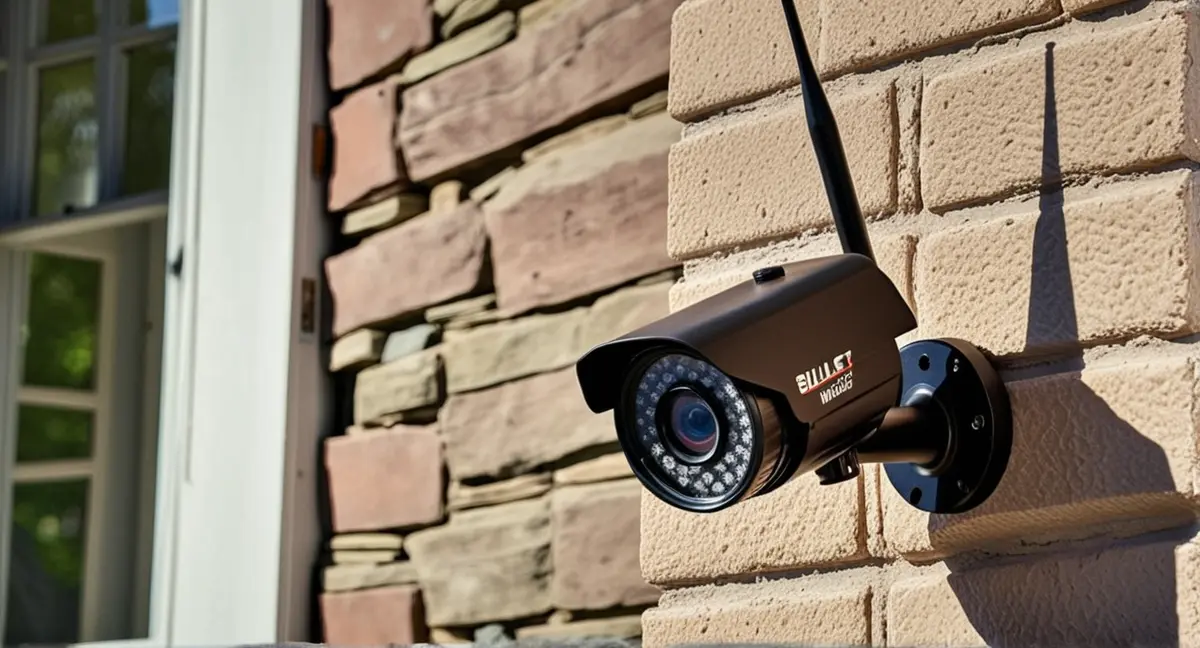
When selecting wireless cameras for apartment entryways, prioritize models with reliable connectivity, good night vision, and easy installation. Consider battery life, compatibility with smart home systems, and discreet design for small spaces.
Wireless cameras for apartment entryways offer a convenient way to monitor your space without complex wiring. This guide helps you choose the right system based on practical needs like coverage, battery life, and integration with existing devices.
Best For
- Small apartments with limited space
- Renters looking for non-invasive security
- Tech-savvy users seeking smart home integration
Not Ideal For
- Large apartments requiring wide coverage
- Users needing professional-grade surveillance
Key Takeaways
- Prioritize cameras with good night vision and motion detection
- Choose models with easy installation and battery life
- Ensure compatibility with existing smart home devices
Key Features to Consider
Look for cameras with HD resolution (at least 1080p), motion detection, and two-way audio for communication. Battery life is critical for wireless systems—opt for models with 6+ months of use on a single charge. Weather resistance is also important if the camera will be placed outdoors.
- Consider smart home integration with platforms like Alexa or Google Home.
- Check for cloud storage options or local storage via microSD cards.
Installation and Setup Tips
Most wireless cameras for apartment entryways require minimal setup—simply mount the device, download the app, and connect to your Wi-Fi. Ensure the camera has a clear line of sight to your entryway and avoid obstructions. For renters, use adhesive mounts or suction cups to avoid damaging walls.
Test the camera after installation to confirm connectivity and coverage. Adjust motion sensitivity and notification settings via the app for optimal performance.
Compatibility with Smart Home Systems
Ensure the camera works with your existing smart home ecosystem. Look for IFTTT support or integration with platforms like SmartThings or HomeKit. Compatibility with smart locks or lighting systems can enhance security by triggering lights when motion is detected.
Some systems offer AI-powered features like person detection or package recognition, which can reduce false alerts and improve usability.
Balancing Cost and Performance
Entry-level models may lack advanced features like night vision or two-way audio, while premium systems offer better durability and smart integration. Set a budget based on your needs—basic models start around $50, while systems with cloud storage and AI features can cost $150+.
Consider long-term costs like subscription fees for cloud storage. Some cameras offer free local storage via microSD cards, which can save money over time.
Recommended Products
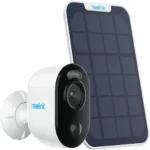
Reolink Argus 3 Pro
Battery-powered wireless camera suitable for small residential entry points.
Pros
- Wire-free setup
- Good for renters
- Works well for simple entry monitoring
Cons
- Depends on Wi-Fi quality
- Battery needs periodic charging
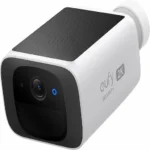
Eufy SoloCam S220
Compact wireless camera for simple home entry coverage with local storage appeal.
Pros
- Simple setup
- Compact size
- Good fit for smaller residential spaces
Cons
- Limited for larger properties
- Performance depends on placement
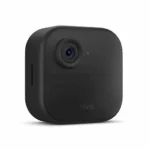
Blink Outdoor 4
Simple battery-powered camera for basic residential entry monitoring.
Pros
- Easy setup
- Budget-friendly
- Lightweight deployment
Cons
- Basic compared to higher-end models
- Cloud features may vary by setup
Pros and Cons
Pros
- No wiring required for easy installation
- Flexible placement options in small spaces
- Integration with smart home platforms
Cons
- Limited battery life compared to wired systems
- Potential blind spots in larger entryways
When DIY May Not Be Enough
Consider upgrading to a wired system or professional monitoring if your entryway requires 24/7 surveillance, wide-angle coverage, or advanced features like facial recognition.
Helpful Internal Links
Helpful External Resources
Frequently Asked Questions
Do wireless cameras work well in low light?
Yes, most modern models include infrared night vision for clear footage in low-light conditions. Check specifications for lumens or night vision range.
Can I use them with existing smart home devices?
Many wireless cameras integrate with Alexa, Google Home, or SmartThings. Verify compatibility before purchasing.
How long do the batteries last?
Battery life varies by model, but look for systems offering 6+ months of use on a single charge with regular motion detection.
Final Recommendation
If a simple wireless camera is enough for your space, start with a practical DIY setup. If you need broader coverage, better reliability, or a more complete security design, SmartEye can help.